

Depth
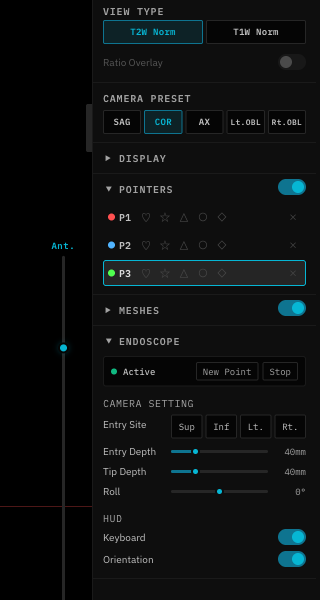
The Depth slider controls how far the camera is inserted from the entry point (in mm). Increase depth to look deeper into the anatomy.Entry Distance
The Entry Distance slider adjusts the camera’s distance from the mesh surface at the entry point (in mm). Useful for pulling back from the surface for a wider view.Roll
The Roll slider rotates the camera around its forward axis (-180° to +180°). Use this to align the view with anatomical orientation.Entry Nudge
Fine-tune the entry point position without leaving endoscope mode:The Entry Depth slider is only visible during repicking mode. During initial picking, it is hidden.