> ## Documentation Index
> Fetch the complete documentation index at: https://docs.spine.altician.com/llms.txt
> Use this file to discover all available pages before exploring further.
# Exporting Slices
> Save volume slices as images or animations
## Opening the Export Dialog
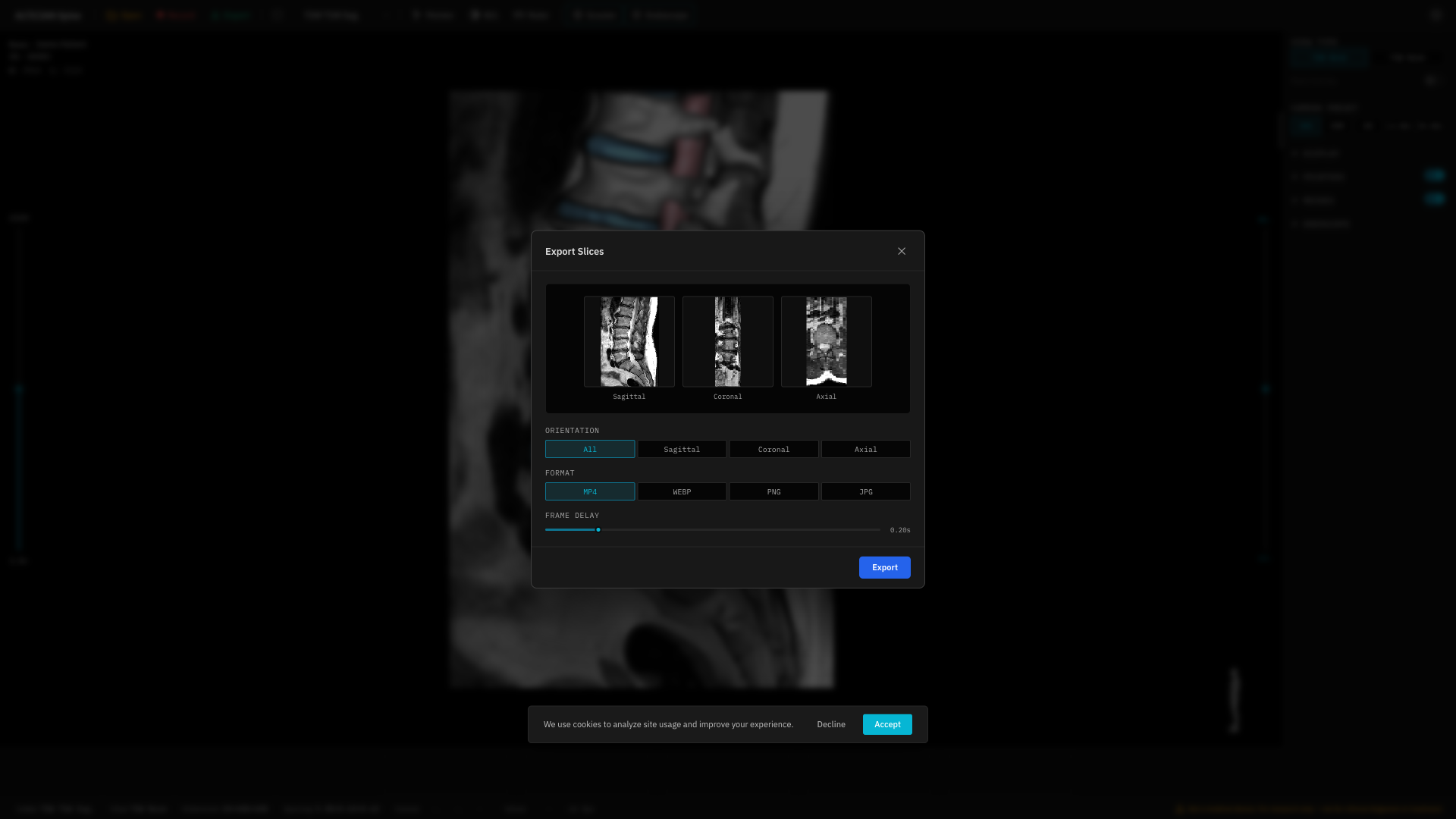
Click the **Export** button (green) in the toolbar to open the export modal.
 ## Format Options
| Format | Type | Notes |
| -------- | -------------- | ----------------------------------- |
| **MP4** | Video | Requires WebCodecs API (Chrome 94+) |
| **WebP** | Animated image | Widely supported |
| **PNG** | Static images | Lossless, one image per slice |
| **JPG** | Static images | Compressed, one image per slice |
## Direction
Choose the slicing direction:
* **Sagittal** — Left-right slices
* **Coronal** — Front-back slices
* **Axial** — Top-bottom slices
* **All** — Export all three directions
## Frame Delay
For animated formats (MP4, WebP), set the delay between frames (50–1000 ms).
Frame Delay is disabled for static formats (PNG, JPG).
## Preview
The modal shows a preview before exporting — both static thumbnails and animated previews (for video/WebP).
## Download
Click **Download** to save the export. Multi-file exports (PNG, JPG, All directions) are packaged as a ZIP file.
Export is only available when the viewer is active with a loaded volume. The button is disabled during loading or empty states.
## Format Options
| Format | Type | Notes |
| -------- | -------------- | ----------------------------------- |
| **MP4** | Video | Requires WebCodecs API (Chrome 94+) |
| **WebP** | Animated image | Widely supported |
| **PNG** | Static images | Lossless, one image per slice |
| **JPG** | Static images | Compressed, one image per slice |
## Direction
Choose the slicing direction:
* **Sagittal** — Left-right slices
* **Coronal** — Front-back slices
* **Axial** — Top-bottom slices
* **All** — Export all three directions
## Frame Delay
For animated formats (MP4, WebP), set the delay between frames (50–1000 ms).
Frame Delay is disabled for static formats (PNG, JPG).
## Preview
The modal shows a preview before exporting — both static thumbnails and animated previews (for video/WebP).
## Download
Click **Download** to save the export. Multi-file exports (PNG, JPG, All directions) are packaged as a ZIP file.
Export is only available when the viewer is active with a loaded volume. The button is disabled during loading or empty states.