> ## Documentation Index
> Fetch the complete documentation index at: https://docs.spine.altician.com/llms.txt
> Use this file to discover all available pages before exploring further.
# Clip Plane
> Slice through the volume with adjustable clip planes
## Overview
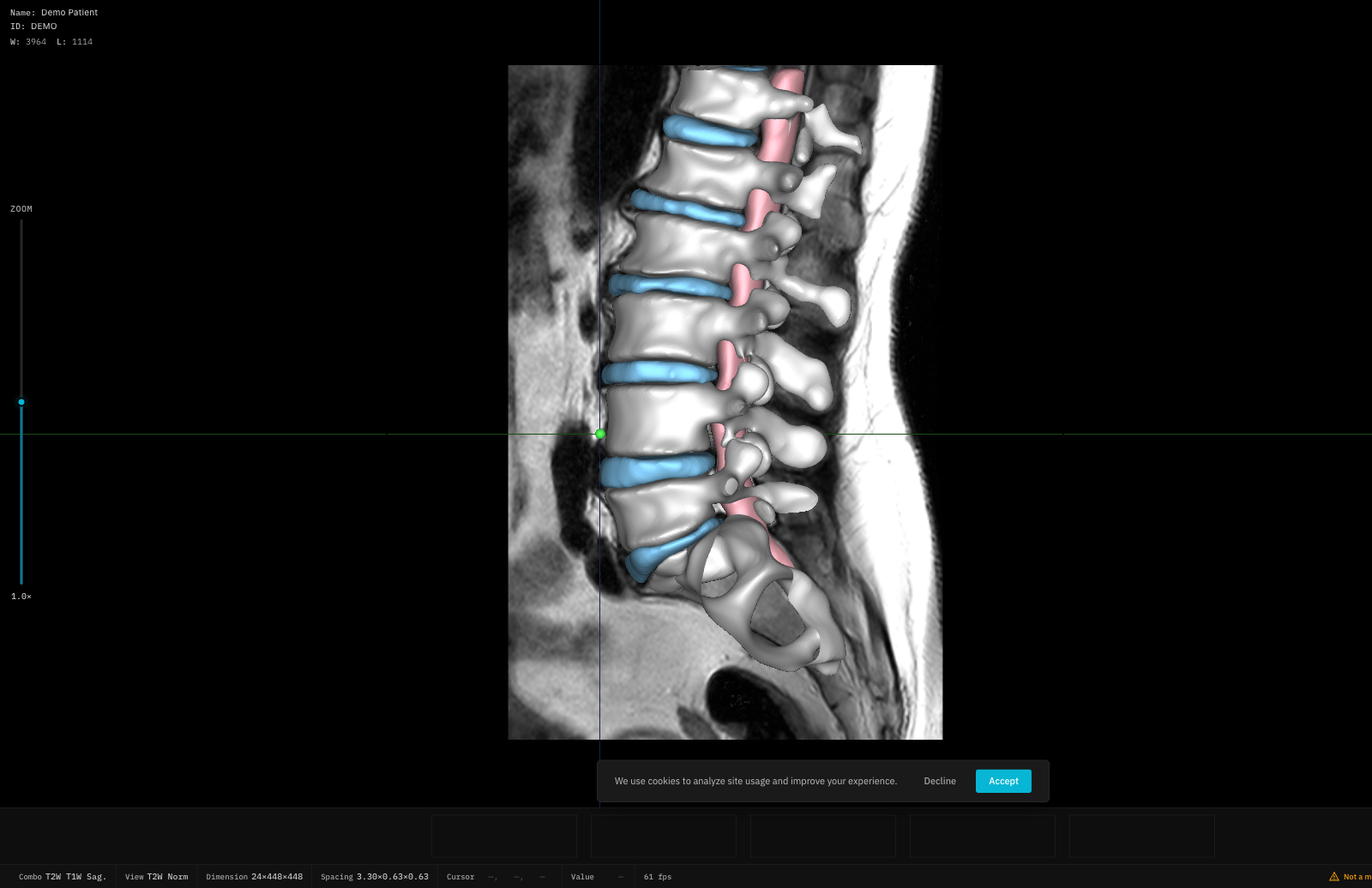
The clip plane lets you cut through the 3D volume to reveal internal structures. Controls are in the **Slice** section of the right panel.
 ## Axis Selection
Choose which axis to clip along:
| Axis | Direction |
| ----- | ---------------------------- |
| **X** | Left-Right (Sagittal) |
| **Y** | Anterior-Posterior (Coronal) |
| **Z** | Superior-Inferior (Axial) |
## Position
Use the **Position** slider to move the clip plane along the selected axis (0–100%).
## Tilt Angles
Fine-tune the clip plane orientation with tilt sliders:
* **Tilt X**: -90° to +90°
* **Tilt Y**: -90° to +90°
* **Tilt Z**: -90° to +90°
## Adaptive vs Manual Mode
| Mode | Description |
| ------------ | ------------------------------------------------------------------- |
| **Adaptive** | Automatically aligns to spinal curvature based on the axial profile |
| **Manual** | Full manual control of position and tilt |
Adaptive mode requires an axial image profile to be available. If the profile is missing, Adaptive mode is disabled.
In Adaptive mode, manual tilt sliders are hidden — the clip plane angle is computed automatically.
## Axis Selection
Choose which axis to clip along:
| Axis | Direction |
| ----- | ---------------------------- |
| **X** | Left-Right (Sagittal) |
| **Y** | Anterior-Posterior (Coronal) |
| **Z** | Superior-Inferior (Axial) |
## Position
Use the **Position** slider to move the clip plane along the selected axis (0–100%).
## Tilt Angles
Fine-tune the clip plane orientation with tilt sliders:
* **Tilt X**: -90° to +90°
* **Tilt Y**: -90° to +90°
* **Tilt Z**: -90° to +90°
## Adaptive vs Manual Mode
| Mode | Description |
| ------------ | ------------------------------------------------------------------- |
| **Adaptive** | Automatically aligns to spinal curvature based on the axial profile |
| **Manual** | Full manual control of position and tilt |
Adaptive mode requires an axial image profile to be available. If the profile is missing, Adaptive mode is disabled.
In Adaptive mode, manual tilt sliders are hidden — the clip plane angle is computed automatically.